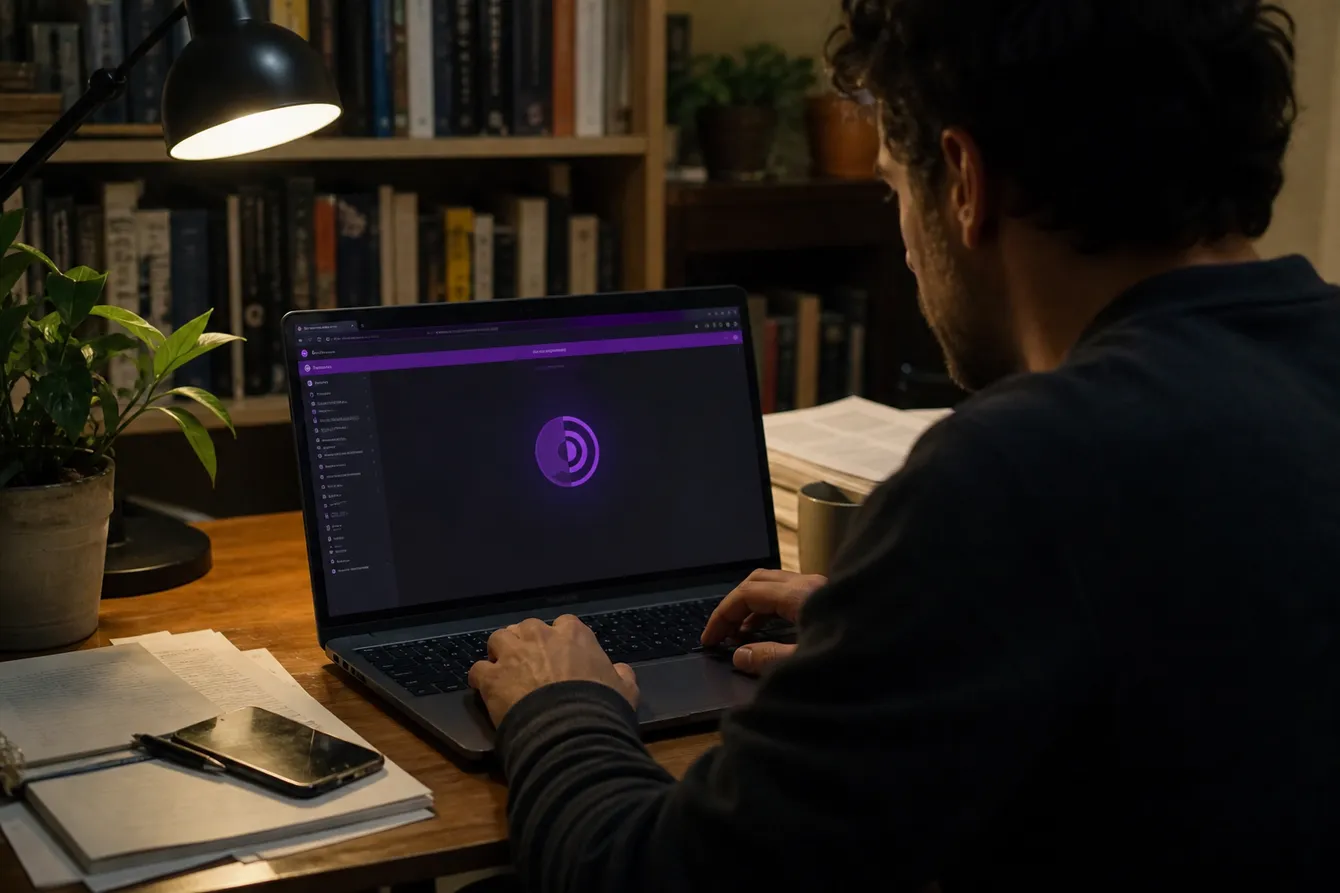
A ‘dark web hacking link’ is not a safe shortcut: only open onion addresses published on an organization’s HTTPS website or Onion-Location prompt, using Tor Browser from official channels[1][2]. We advise limiting activity to lawful, authorized research; copied links from directories, forums, or social posts may lead to clones or phishing pages[3][4].
What Does “Dark Web Hacking Link” Actually Mean?
Understanding the term ‘dark web hacking link’ involves recognizing three distinct intentions: ethical hacking resources, .onion directories, and illegal services. Each of these paths leads to very different outcomes.
Ethical Hacking Resources
Many individuals seek out dark web links to enhance their knowledge of ethical hacking. These resources often include platforms like Hack The Box and TryHackMe, which provide legal environments for practicing hacking skills. They offer challenges and scenarios that simulate real-world hacking situations. This is a safe and educational avenue, provided users adhere to the rules and avoid any unauthorized access.
.onion Directories
Another common intention is to find .onion directories. These directories index various hidden services on the dark web, such as the Hidden Wiki or DuckDuckGo Onion Service. A key point to note is that a current v3 onion address consists of 56 characters followed by ‘.onion’. This differs from standard URLs, which are generally shorter and easier to remember. However, accessing these directories can be risky, as many links may lead to outdated or phishing sites.
Illegal Services
Lastly, some people search for links to illegal services, such as hacking tools or stolen data. It’s crucial to understand that claims of hacking a social media account or selling access to private systems are often scams. The Federal Trade Commission warns that requests for advance cryptocurrency payments are strong indicators of fraud[5]. Engaging with these services can lead to legal repercussions, as accessing protected computers without authorization is a federal offense[6].
In summary, while the dark web can be a resource for learning and exploration, it is essential to navigate it with caution. Always verify the legitimacy of the links and stay clear of any illegal activities.
Safe Starting Points for Dark Web and Cybersecurity Resources
Exploring the dark web can be daunting, but there are safe and legal resources to get started. Here’s a table of reliable links to help navigate the dark web and enhance your cybersecurity knowledge.
| Resource | Purpose | Link Type | Official Page |
|---|---|---|---|
| Tor Project | Official site for downloading Tor Browser | Regular | torproject.org |
| Ahmia | Search engine for .onion sites | .onion | ahmia.fi |
| DuckDuckGo Onion Service | Privacy-focused search engine for .onion content | .onion | duckduckgo.com/onion |
| OWASP | Open Web Application Security Project resources | Regular | owasp.org |
| PortSwigger Web Security Academy | Educational resources for web security and testing | Regular | portswigger.com/web-security-academy |
| OverTheWire | Capture the Flag (CTF) challenges for learning | Regular | overthewire.org |
| picoCTF | Online cybersecurity competition for beginners | Regular | picoctf.com |
| Hack The Box | Platform for practicing penetration testing skills | Regular | hackthebox.com |
Each of these resources serves a unique purpose, whether it's learning about cybersecurity, practicing ethical hacking, or finding .onion services. Always ensure to access these links from their official pages to avoid phishing or clone sites[3][4].
When using the Tor Browser, remember that a v3 onion address is specific: it consists of 56 characters followed by ‘.onion’[7]. Be cautious with any links you find on forums or social media, as they may not be trustworthy. Always verify addresses and remain within legal boundaries to avoid potential legal issues[6].
Navigating the dark web safely is possible with the right tools and knowledge.
How to Open a .onion Link Safely
Opening a .onion link requires careful steps to ensure security and privacy. Here’s a straightforward guide to help navigate safely.
Download Tor Browser from the Official Site
Always download the Tor Browser exclusively from torproject.org or its official mirrors. This prevents installing malicious versions that could compromise your security[1].Keep Your Browser Updated
Regularly check for updates to the Tor Browser. Using an outdated version can expose you to vulnerabilities that could jeopardize your anonymity[8].Verify the .onion Address
Before accessing any .onion site, manually check the address. A valid v3 onion address consists of 56 characters followed by ‘.onion’[7]. Be wary of shortened links or those that seem suspicious.Access Without Personal Information
When visiting .onion sites, avoid entering any personal information. Trustworthy sites will not ask for sensitive data. Stick to browsing without disclosing your identity.Close the Site if Warned
If the Tor Browser presents any security warnings, it’s best to close the site immediately. Warnings can indicate potential threats, such as phishing attempts or unsafe content.Understand Browser Limitations
Standard browsers like Chrome or Safari cannot access .onion sites directly. Always use Tor Browser for this purpose. This is crucial for maintaining the anonymity that .onion services offer[9].Be Cautious with Downloads
If you download files from .onion sites, do not open them while online. This can expose your non-Tor IP address and compromise your privacy[10]. Always disconnect from the internet before accessing downloaded files.
Following these steps can help the reader navigate the dark web more safely. Remember, while Tor enhances privacy, it doesn’t guarantee absolute anonymity. Always exercise caution and stay within legal boundaries to avoid potential issues.
How to Verify a Dark Web Link Before You Open It
Verifying a dark web link is crucial to ensure safety and legitimacy. Here’s a checklist of six essential checks to perform before clicking on any .onion link:
Official Publication
Ensure the address is published by the organization on its official clearnet website. This guarantees that the link is authentic and not a copy from an unreliable source[2].Check for v3 .onion Format
Confirm that the link uses the current v3 .onion format. A valid v3 onion address consists of 56 characters followed by ‘.onion’[7]. If the address is shorter or in an outdated format, it may not work.Match All 56 Characters
Carefully compare the entire 56-character string of the .onion address. Any discrepancy could indicate a phishing attempt or a clone site[7].Source Credibility
Verify that the link does not originate from random posts, forums, or social media. Links copied from these sources often lead to malicious sites[4].No Redirects
Ensure the link does not redirect to another site. Redirections can be a red flag for phishing or unsafe content. Use tools to check for redirection if unsure.Date of Verification
Check if the link’s verification date is indicated. Regular updates are necessary since .onion services can frequently change or go offline[7].
Example of a Safe Verification Process
To illustrate, let’s say you want to verify the onion address of a known organization. First, visit the organization’s official HTTPS website to find their published .onion address.
Locate the Onion Address
Find the onion address listed on their official page.Copy the Address
Copy the entire address without shortening it.Manual Comparison
Compare each character of the copied address with what is provided on the official site, ensuring it matches exactly.
By following this verification process, the reader can confidently navigate the dark web while minimizing risks. Always prioritize safety and legality when exploring online.
Dark Web Search Engines and Directories: Use With Caution
Navigating the dark web can be tricky, especially when it comes to using search engines and directories. Ahmia and DuckDuckGo Onion Service are two well-known search engines that can help you find .onion sites, but they have limitations.
Ahmia indexes a variety of .onion services, while DuckDuckGo Onion Service emphasizes privacy. However, neither can guarantee comprehensive coverage of all available onion services. Research shows that only 6.1% of indexed sites are unique, with many duplicates or phishing attempts[4]. This means that while you might find a link through these engines, it doesn't mean it’s safe.
Caution with User-Curated Directories
Directories like the Hidden Wiki can be particularly misleading. They often contain outdated, altered, or illegal links. This is like using an old map to navigate a new city; you might end up in the wrong neighborhood. Always remember, just because a link appears in a directory doesn’t mean it’s trustworthy.
The Rule of Thumb
A critical rule to keep in mind is that a search result is merely a way to discover an address, not a confirmation of its safety. Always verify the legitimacy of a .onion address before visiting it. The safest method to authenticate an onion address is to obtain it from the organization’s official HTTPS website or its Onion-Location prompt[2]. If the address differs from what you find in a directory, do not proceed.
Summary of Key Points
- Search Engines: Ahmia and DuckDuckGo Onion Service are useful but limited.
- Directories: Be wary of user-curated directories like the Hidden Wiki, which may contain unreliable links.
- Verification: Always verify .onion addresses from official sources before visiting. A search result does not confirm safety.
By approaching dark web search engines and directories with caution, the reader can better navigate this complex online landscape. Stay vigilant and prioritize safety at all times.
Red Flags That a “Hacker Link” Is a Scam or a Trap
Identifying potential scams on the dark web is crucial for safe navigation. Here are several red flags to watch out for:
Hackers for Hire
Offers to hire hackers often indicate scams. Legitimate hacking services are rare and usually require a legal basis.Guaranteed Hacks
Claims of guaranteed success in hacking are suspicious. No hacker can ensure a successful breach due to varying security measures.Payment Only in Cryptocurrency
If a service demands payment exclusively in cryptocurrency, it’s a warning sign. Many legitimate services offer multiple payment methods.Requests to Download EXE or ZIP Files
Any request to download files from an unknown source is risky. These files may contain malware designed to compromise your system.Instructions to Disable Security Features
Asking you to turn off antivirus or firewall settings is a major red flag. This exposes your device to threats.Requests for Passwords or Seed Phrases
No legitimate service should ask for your passwords or cryptocurrency seed phrases. Sharing this information could lead to theft.Using Unknown Tor Gateways
Accessing dark web links through unfamiliar Tor gateways can be dangerous. Stick to reputable sources to avoid phishing sites.Urgent Deposit Requests
Pressure to make quick payments or deposits is a common tactic used by scammers. Legitimate services provide time to consider your options.Unusual .onion Address Format
Check the format of the .onion address. A valid v3 onion address consists of 56 characters followed by ‘.onion’[7]. Anything else may indicate a scam.Poor Website Design
If the website looks unprofessional or contains numerous typos, it’s likely not trustworthy. Legitimate services maintain a professional appearance.
Recommended Actions
If you encounter any of these red flags, take the following actions:
Do Not Download or Pay
Avoid downloading files or making payments when unsure about the legitimacy of the service.Close the Tab Immediately
If something feels off, close the tab without further interaction.Delete Any Downloaded Files
If you’ve downloaded anything, delete the file without opening it to prevent potential harm.Change Your Passwords
In case of any compromise, change your passwords from a clean device to ensure security.
Following these guidelines can help the reader navigate the dark web safely and avoid falling victim to scams. Always prioritize caution and verify any suspicious activities.
Legal and Ethical Boundaries
Using Tor and visiting the dark web is legal in many jurisdictions, but laws vary significantly by country. It's essential to know the legal framework in your location before diving in. For example, while Tor is designed for privacy and free expression, using it for illegal activities, such as hacking without permission, remains against the law[11].
Engaging in unauthorized access to computers, whether on the dark web or the clearnet, can lead to serious legal consequences under laws like 18 U.S.C. §1030, which defines hacking as a federal offense if done without authorization[6]. This is true even if you think you’re just exploring or testing security.
To practice ethical hacking, we recommend sticking to environments that explicitly allow such activities. Here are some safe options:
Capture The Flag (CTF) Competitions
CTFs provide a platform for ethical hacking, where participants solve challenges to enhance their skills.OWASP Labs
These labs focus on web application security, allowing users to learn about vulnerabilities in a controlled environment.PortSwigger Academy
This resource offers free training on web security, covering various aspects of ethical hacking.Hack The Box
An online platform where users can practice penetration testing on various virtual machines in a legal and ethical manner.TryHackMe
This platform provides guided learning paths for cybersecurity, making it accessible for beginners.
Exploring these environments ensures that you engage in ethical practices while honing your hacking skills. It's crucial to remember that this article does not assist in finding stolen data, malware, or illegal services. Always prioritize legality and ethics in your activities on the dark web.
Dark Web Hacking Link FAQ
Navigating the dark web can be daunting, especially for newcomers. Here are some frequently asked questions to help you find your way safely.
How do I find dark web links?
Finding dark web links often involves using search engines designed for .onion sites, like Ahmia or DuckDuckGo Onion Service. However, be cautious, as only about 6.1% of indexed sites are unique, with many being duplicates or phishing attempts[4]. Always verify the legitimacy of any link before visiting.
Is it legal to access the dark web?
Accessing the dark web itself is legal in many jurisdictions, including the UK. However, engaging in illegal activities, such as hacking without permission, can lead to serious consequences under laws like 18 U.S.C. §1030[6]. Always stay within legal boundaries to avoid potential issues.
How do I open .onion links?
To access .onion links, you need the Tor Browser, specifically designed to handle these addresses. Ensure you download it from the official Tor Project website to avoid compromised versions[1]. Once installed, simply enter the .onion address in the Tor Browser to navigate safely.
Why do .onion addresses stop working?
A .onion address may stop functioning for several reasons, such as the service being offline, overloaded, or using an outdated format[7]. If you encounter issues, check if the address is a valid v3 onion address, which has 56 characters, followed by ‘.onion’[7]. If it’s shorter or in a different format, it may not be operational.
Can I trust links from Reddit?
Links shared on Reddit can be unreliable. They often come from anonymous users who may not have verified the address. It's best to verify any .onion link through official sources rather than relying on user-generated content[2]. Always cross-check the address with the organization’s official site.
What should I do if a link doesn’t work?
If a link doesn’t work, consider checking if the service is temporarily down or if the address was mistyped. You can also use directories like the Hidden Wiki to find alternatives, but be cautious, as they can contain outdated or unsafe links[4]. Always look for the latest, verified addresses.
By following these guidelines and answering common questions, readers can safely navigate the dark web while minimizing risks. Remember, safety and legality should always be your top priorities.
Dark Web Hacking Links Verification Table
| Resource | Purpose | Link Type | Official Verification Source | Last Checked |
|---|---|---|---|---|
| Example Onion Service | Access secure communication | .onion | Official website | Depends on source |
| SecureDrop | Whistleblower submissions | .onion | SecureDrop Directory | Depends on source |
| Hacker Forum | Discussion and services | .onion | User reviews | Depends on source |
| Phishing Site | Scam attempts | .onion | User reports | Depends on source |
| Legitimate Marketplace | Buying goods/services | .onion | Official site | Depends on source |
Common Mistakes and Misconceptions
The safest approach separates learning resources from unknown services before opening anything.
- Educational: courses, CTFs, and authorized labs
- Informational: forums, archives, and ordinary onion services
- High-risk: unauthorized access offers, stolen data, or paid attacks
Assuming Every ‘Hacking Link’ Serves the Same Purpose
A ‘dark web hacking link’ can describe very different destinations. Beginners often mix legal training, ordinary onion sites, and services offering unauthorized access. We recommend checking the stated purpose and permission scope before proceeding; a dramatic label proves nothing.
Treating an Old Verification as Permanent
A previously valid address is not permanently trustworthy. Record the official source and exact verification date, then compare every character before each sensitive visit. For SecureDrop, the guidance is stricter: compare its directory listing with the organization’s landing page and stop if they differ[3].
Using the Dark Web as a Training Lab
An unknown onion service is not a practice target. Curiosity can become unauthorized testing once the reader scans, probes, or attempts access without permission. Choose a CTF, guided ethical-hacking course, or lab that clearly authorizes each exercise instead.
Continuing After a Redirect or Surprise Download
An unexpected redirect or download means the planned route has changed. Close the page, avoid opening the file, and return through the organization’s verified public source. Opening downloaded DOC or PDF files externally while online may expose a non-Tor IP address[10].
Paying or Sharing Details to ‘Prove Serious Intent’
A request for cryptocurrency or personal data does not establish legitimacy. Stop before paying, signing in, uploading identification, or entering an email address; unexpected advance cryptocurrency demands indicate scams, and transfers are generally irreversible[5]. If details were already entered, secure the affected account from a clean device.
Customizing Tor Browser for ‘Extra Privacy’
More browser add-ons can mean less privacy, not more. Extensions may create a distinctive fingerprint, leak information, or expand the attack surface[12]. Keep Tor Browser updated because outdated versions may contain serious privacy and anonymity vulnerabilities[8].
Frequently asked questions
Where can I get darkweb links?
Can you hack the dark web?
The dark web is a collection of separate overlay services, not one system to ‘hack’[9]. Only test a service when its owner has given explicit authorization; otherwise, use a CTF or legal training lab.
How can I tell if an onion link is legitimate?
A correctly formatted address is not proof of legitimacy. We advise matching every character against the organization’s HTTPS website or ‘Onion-Location’ prompt, rather than trusting directories, forums, or social posts[2].
Are onion links from Reddit safe?
Treat a Reddit link as an unverified lead, not a safety certificate. Before opening it, find the address independently on the organization’s authenticated public website and compare every character[2].
Why is a dark web link not working?
The service may be offline, overloaded, protected by authentication, mistyped, or using the obsolete v2 format[7]. We suggest checking the address against its official public source, then waiting rather than chasing unknown mirrors.
Conclusions
A safe dark web route starts with verification, not curiosity.
- Use trusted origins. Copy onion addresses from an organization’s authenticated public website, then compare every character[2].
- Keep Tor Browser standard and updated. Extra extensions may increase fingerprinting and security risks[12], while outdated versions can contain privacy vulnerabilities[8].
- Treat surprises as stop signs. Leave after unexplained redirects, downloads, payment requests, or demands for personal details[10][5].
- Practice only with permission. We recommend CTFs and authorized training labs, never unknown services. This is suitable for legal learning; it does not apply when the owner has not approved testing.
If an address fails after verification, follow Dark Web Links Not Working: Troubleshooting Tips before seeking an unfamiliar mirror.
Explore More Safe Resources
Discover additional guides and tips to navigate the dark web safely.
View More GuidesRelated resources
These services are useful starting points for further research. Useful sites.

 Connecting with the Community: Essential Dark Web Forum LinksDiscover essential dark web forum links to connect with communities, share insights, and navigate safely in the dark web.
 Dark Web Links Com: Your Resource GuideDiscover reliable resources on Dark Web Links Com for safe navigation and access to legal dark web sites. Start exploring today!
 Dark web link in hindiDiscover safe and legitimate dark web links in Hindi. Navigate the dark web with confidence and access valuable resources easily.
 Dark web names listDiscover a navigable list of recognizable dark web site names for safe exploration of legitimate onion services.